
The Chapter Reviews feature allows you to attach personal notes, thoughts, and critiques to specific chapters while reading on AO3.
How to Write a Review
There are two quick ways to open the review editor while reading a fanfiction:
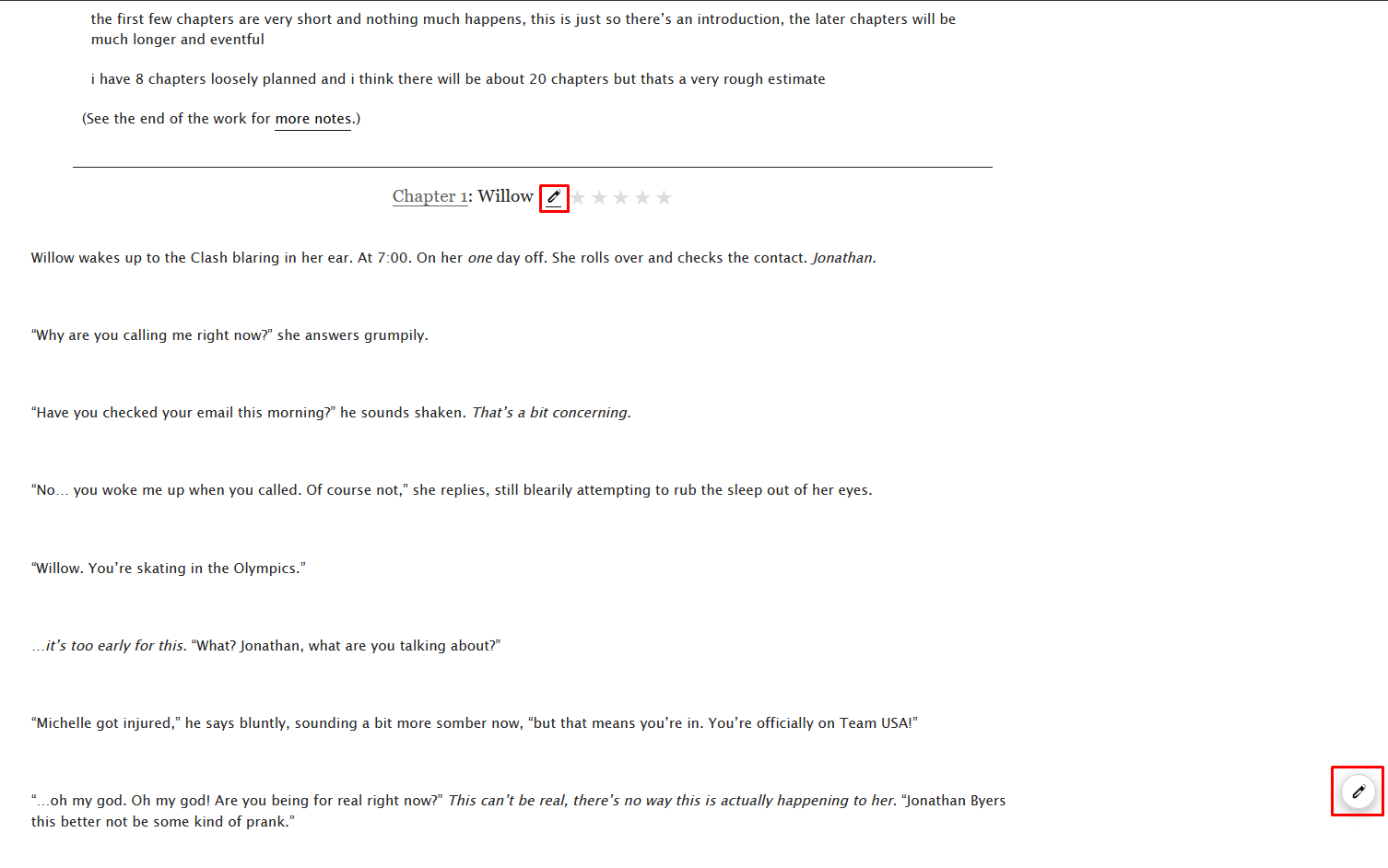
A. The Pencil Icon
At the top of every chapter text, right next to the chapter title, you will notice a small Pencil icon injected by the extension. Clicking it will open the Review Modal specifically for that chapter.
B. The Floating Review Button
For longer chapters where scrolling back to the top is inconvenient, you can use the Floating Review Button located at the bottom-right of your screen. Clicking it instantly brings up the Review Modal.
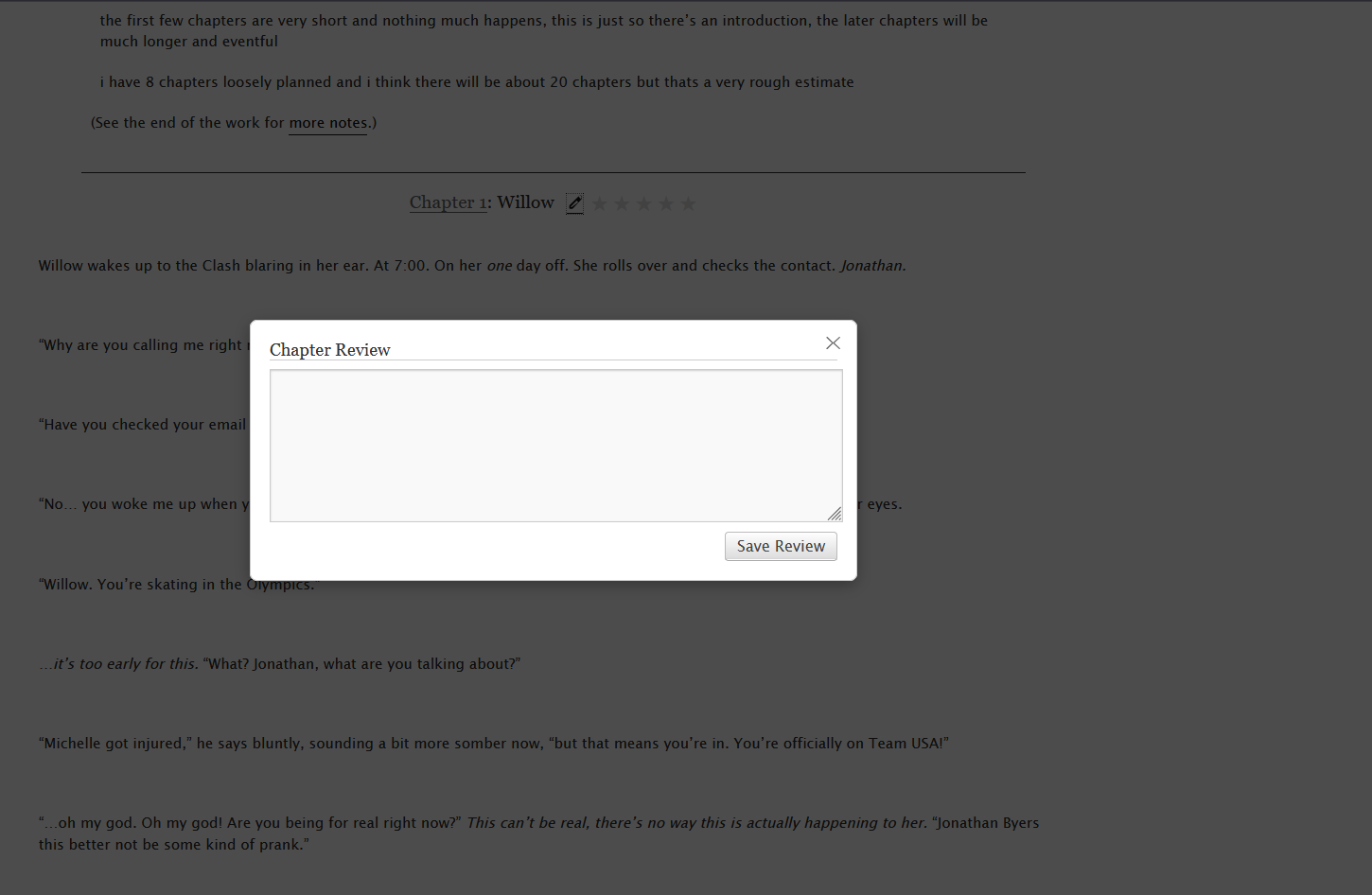
You don't need to worry about losing your thoughts! If you accidentally click outside the Review Modal, the extension will automatically save your review text before closing.
The Reviews Notebook
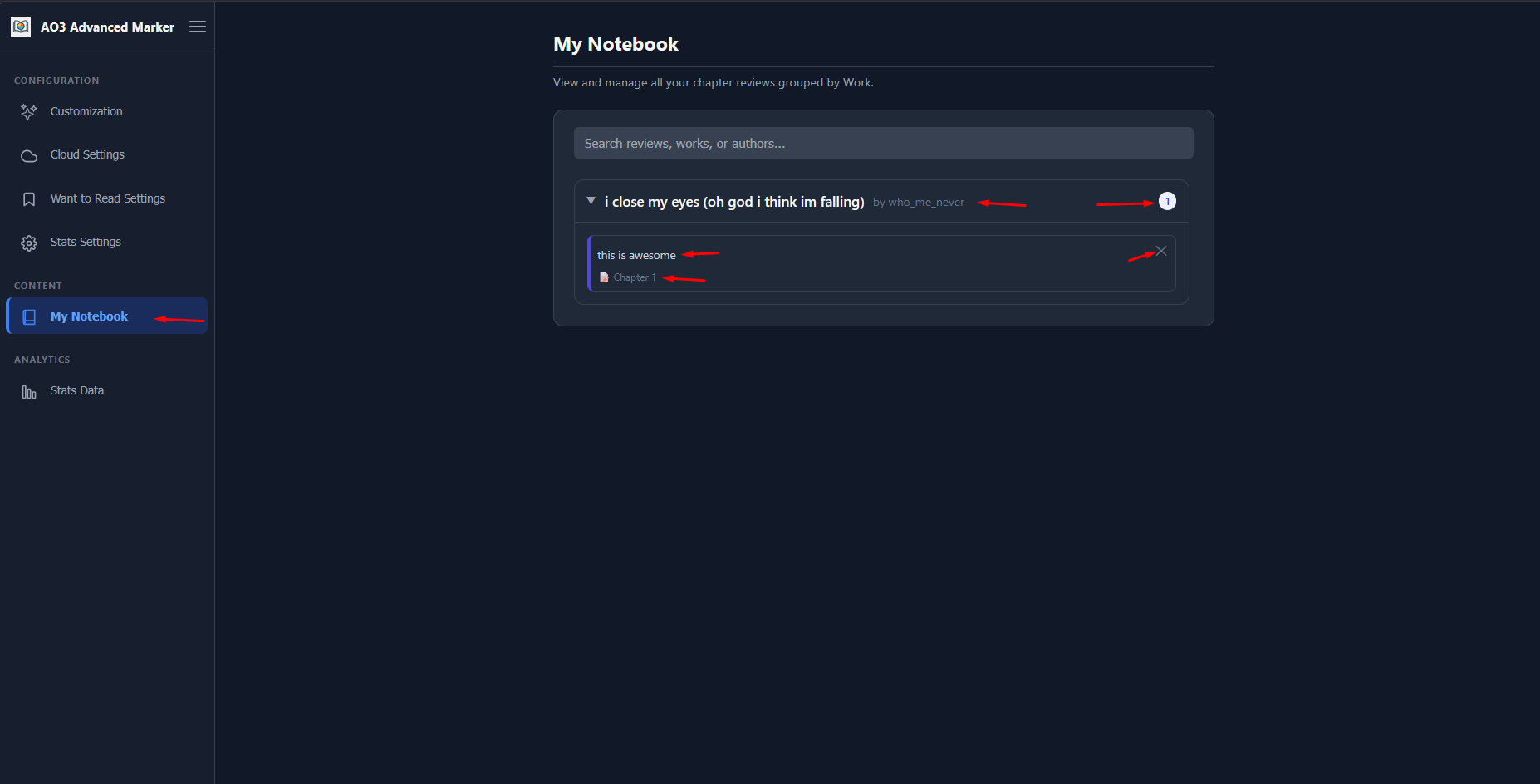
All your reviews are safely stored and organized in a centralized location called the Notebook.
Accessing the Notebook
Click on the AO3 Advanced Marker extension icon in your browser toolbar to open the Options Page. In the left sidebar, click on the My Notebook tab.
Managing Your Reviews
- Search & Filter: Use the search bar to find reviews by the fanfiction title, author name, or by words contained within your review text.
- Direct Links: Clicking on the chapter title link inside a notebook entry will take you directly to that specific chapter on AO3.
- Editing & Deleting: To edit a review, navigate to the work on AO3 and open the Review Modal again. To delete a review without leaving the options page, use the trash bin icon next to the entry in your notebook.
Reviews and Cloud Sync
If you use the Cloud Sync feature (via Google Drive or JSONBin), your chapter reviews are fully synced across all your devices.
When pulling data from the cloud, the extension performs a "smart merge" on a per-chapter basis. This means if you wrote a review for Chapter 1 on your phone, and a review for Chapter 2 on your computer, both will be preserved and merged safely.