
The AO3 Advanced Marker features a comprehensive Reading Stats System to help you track your reading progress, set yearly goals, and gain insights into your reading habits. This guide explains how to enable the feature, where to view your stats, and how the data is calculated.
How the Reading Stats System Works
When enabled, the extension silently logs your reading activity in the background as you interact with fanfictions on AO3. It tracks two primary metrics:
- Works Read: Automatically recorded when you click the "Mark as Read" button. The extension calculates the new word count and chapter count added to your reading history.
- Chapters Read: Logged when you click "Chapter Read". The extension counts the exact number of words on the page and adds them to your total.
All this data is compiled to provide you with insights like Total Words Read, Books Read (based on your custom Words Per Book conversion), Current Streak, Longest Streak, Daily Average, and your Top Fandoms and Authors.
Where to Find Your Stats
Your reading statistics are displayed in two main locations:
A. Dashboard Widget on AO3
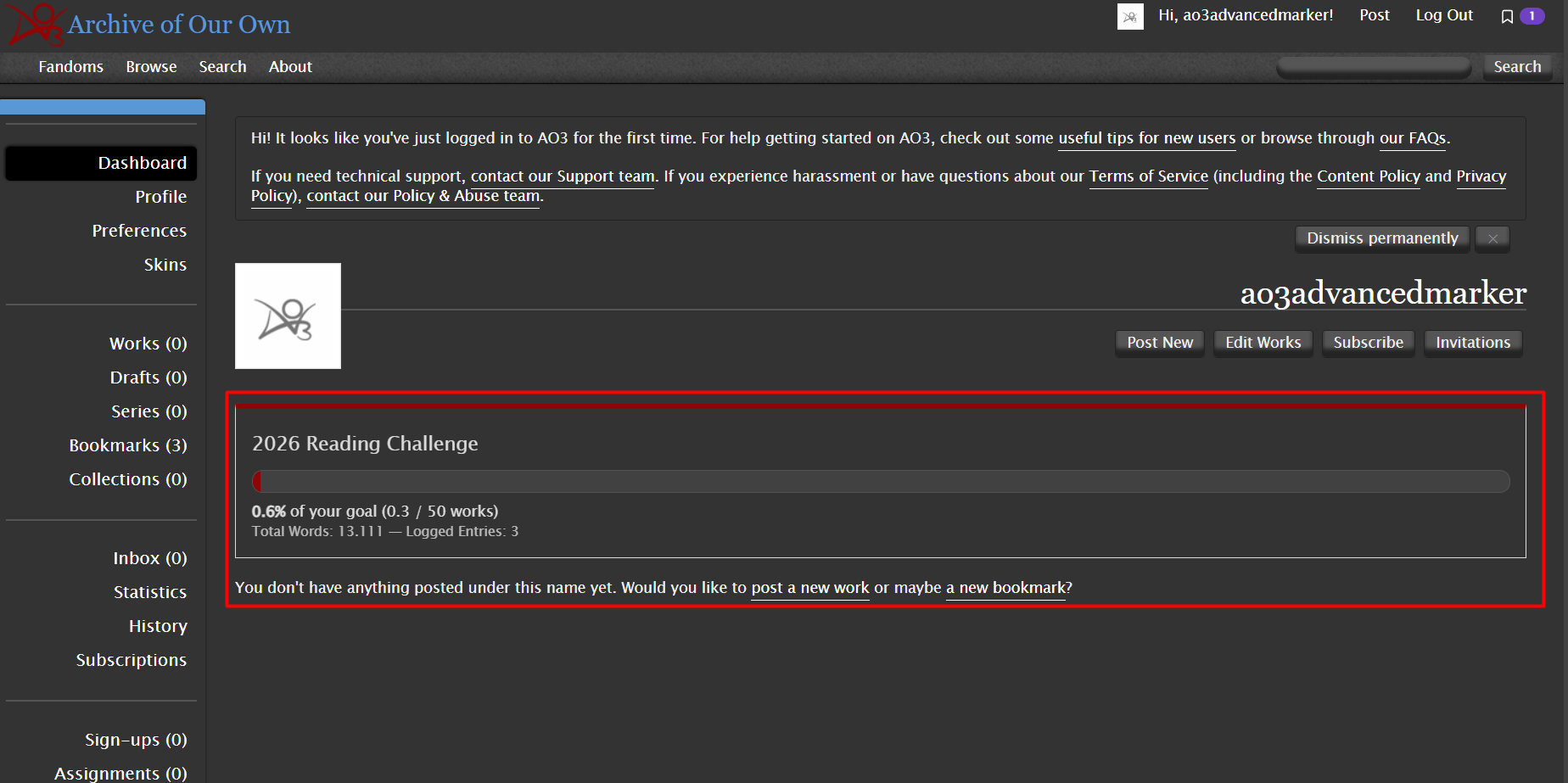
When you visit your own User Dashboard on AO3, the extension injects a quick-glance Stats Widget right below the header. This widget shows your current year's reading progress bar, the number of books read against your goal, total words read, and the number of entries logged.
B. Detailed Stats Dashboard
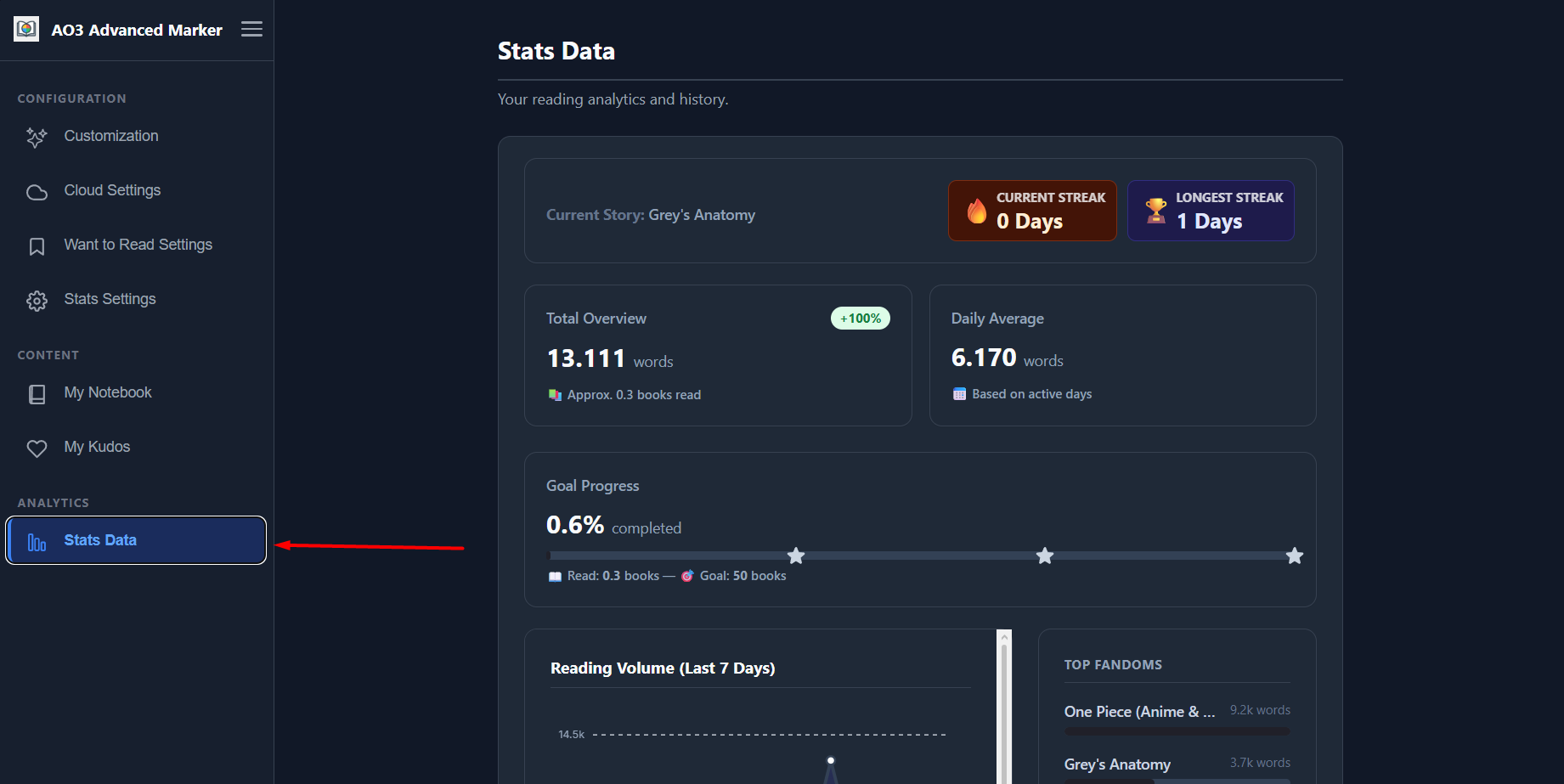
For an in-depth look at your reading habits, open the extension's Options Page and navigate to the Stats Dashboard. Here you will find:
- Annual Goal Progress: A visual progress bar tracking your yearly goal. Watch out for the Motivational Checkpoints (Gold Stars) that light up when you reach 33.3%, 66.6%, and 100% of your goal!
- Reading Chart: A beautiful, interactive chart displaying your reading activity over time.
- Top Metrics: See your most-read fandoms and authors.
- Rating Analytics: A detailed table of your personal ratings per work.
How to Enable and Configure Stats
By default, the Reading Stats feature is disabled for privacy and performance reasons. Here is how to turn it on and customize your experience:
Step 3.1 — Access the Options Dashboard
Click on the AO3 Advanced Marker extension icon in your browser toolbar to open the Options Page.
Step 3.2 — Navigate to the Stats Settings Panel
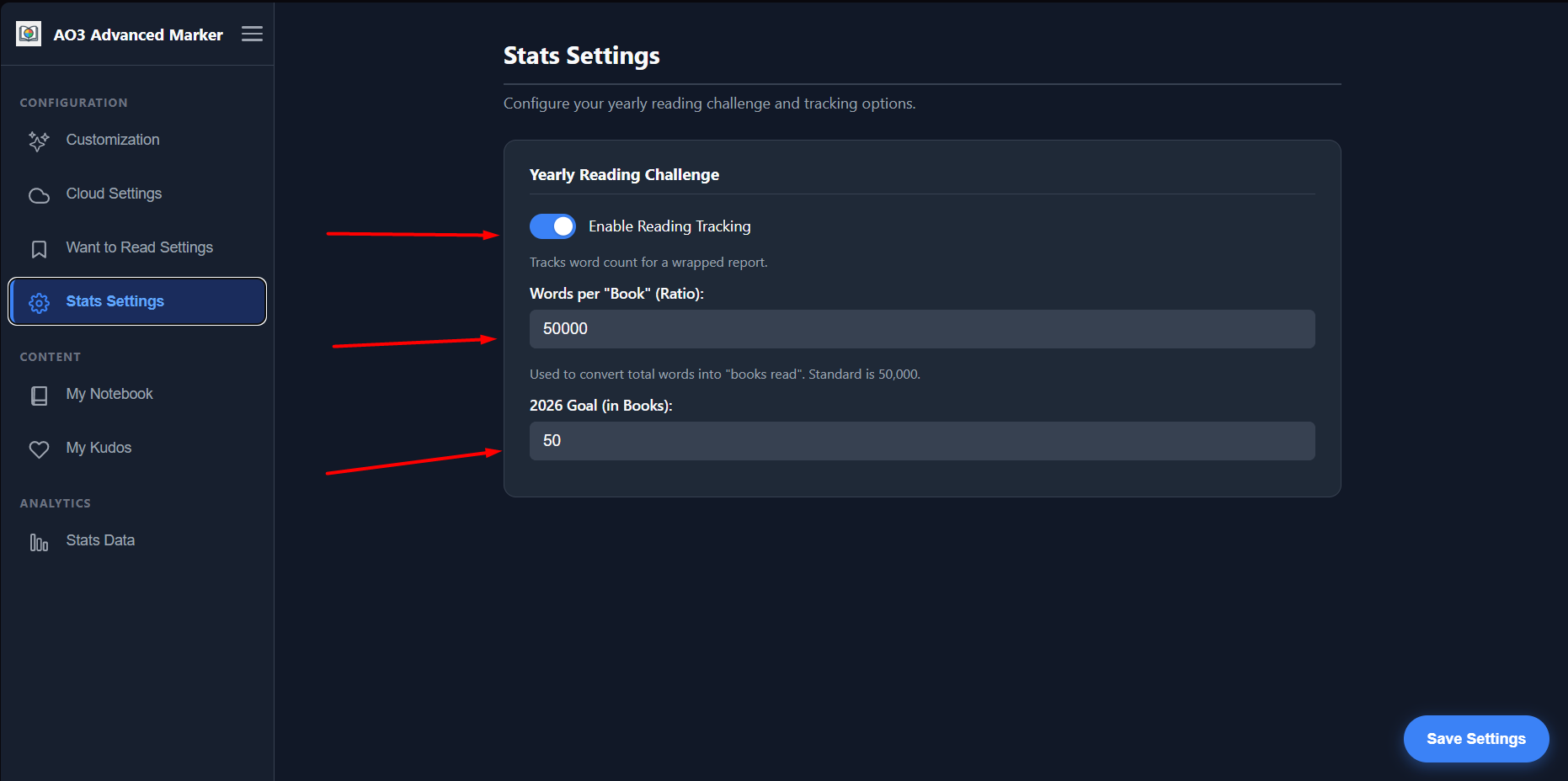
In the left sidebar, click on the Stats Settings tab. Toggle the switch to enable Reading Stats Tracking.
Step 3.3 — Set Your Goals
Once enabled, you can configure:
- Yearly Goal: Enter the number of "books" you want to read this year.
- Words Per Book: Because fanfictions are tracked in word counts, you can define how many words equal one "book" (e.g., 50,000 words). This makes tracking large fics feel more rewarding!
Click the Save Settings button at the bottom of the screen to apply your configuration.
If you use JSONBin for cloud backup, your stats data is stored in a separate, dedicated bin. This ensures that large reading logs don't interfere with your main reading statuses. If you use Google Drive, everything is synced seamlessly in one place.